Why Your Blazing Fast Broadband Internet is Slow
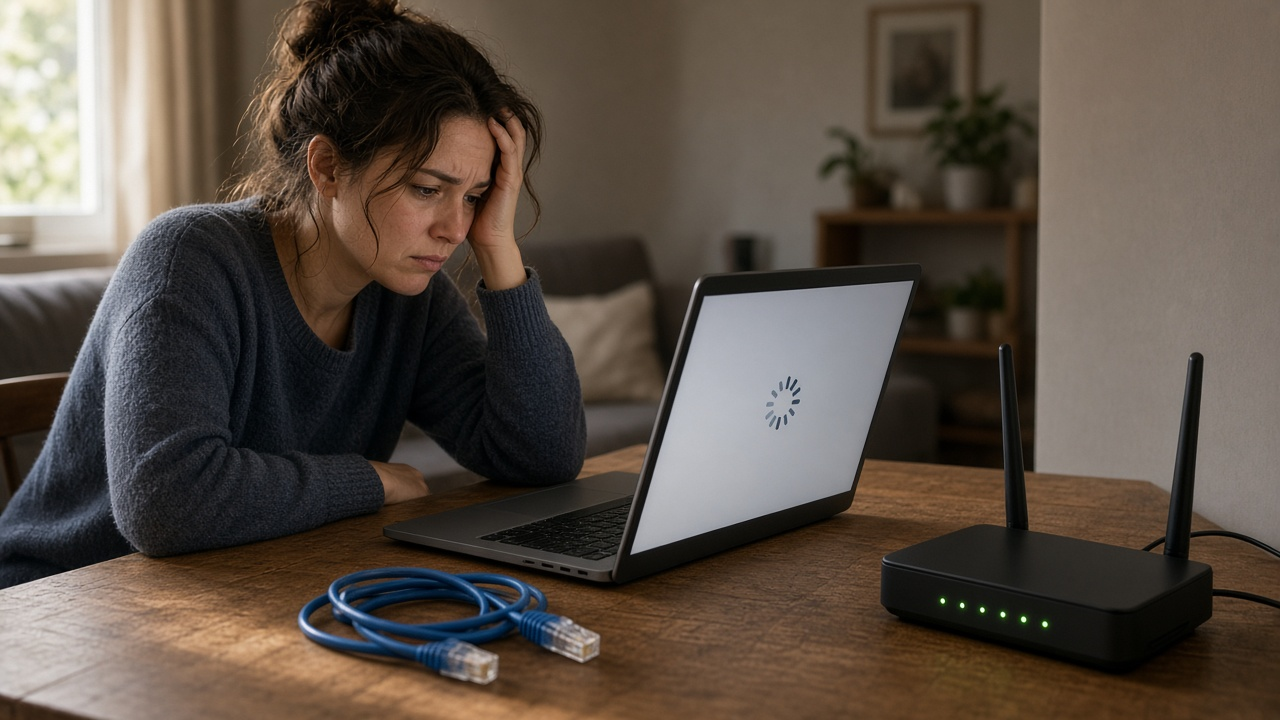
The Paradox of Pace: Unraveling Why Your 'Blazing Fast' Broadband Feels Slow
When you sign up for broadband Internet, you're promised an online experience as swift as a shooting star. But what does that really mean? Broadband is an umbrella term for high-speed internet access that is always on and faster than traditional dial-up. Speed, in this context, refers to how quickly data can be downloaded (retrieving data from the web) or uploaded (sending data to the web), measured in megabits per second (Mbps). Streaming, another term we often hear, is the continuous transmission of audio or video files from a server to a client. So, when we say "blazing fast," we expect webpages to load in the blink of an eye, and our favorite shows to stream without that dreaded buffering symbol.
And yet, many face the conundrum of sluggish Internet despite being on plans described as lightning-fast. Broadband comes in diverse forms; DSL (Digital Subscriber Line), Cable Internet, and the premium Fiber-optic connections roam the marketplace, each with its proclaimed speed potentials often reaching up to gigabits per second (Gbps). But the actual performance can be a far cry from these lofty benchmarks, leaving you wondering: "Why is my high-octane broadband crawling?" Unpack this paradox with us, as we explore the intricacies of broadband connections and the hidden hurdles that can thwart your online experience.
Wi-Fi Signal Interference as a Speed Bump
Understanding the invisible speed bump: Even the fastest broadband internet can succumb to the pitfalls of Wi-Fi signal interference. This common problem can drastically reduce your internet speed and stability without you even realizing it.
What Causes Wi-Fi Signal Interference?
Wi-Fi signal interference originates from a variety of sources, both from within your home and beyond. It ranges from other wireless networks nearby to everyday household appliances like microwave ovens and cordless phones. Even structural elements, such as walls and furniture, can disrupt your Wi-Fi signal.
Top Tips for Reducing Interference and Enhancing Your Connection
- Avoid the Electronics Jungle: Keep your router away from other electronic devices to reduce signal clashing.
- Change Your Wi-Fi Channel: Switch to a less crowded channel to sidestep interference from neighboring networks.
- Upgrade Your Equipment: Modern routers can automatically pick the best channels and reduce interference issues.
- Consider a Wi-Fi Extender: Expand your network's coverage to eliminate weak spots caused by distance and obstacles.
Implementing these simple strategies can help you avoid Wi-Fi interference and get the most out of your broadband connection. Stay tuned for more tips on how to maintain a brisk internet experience.
The Hidden Bottleneck: Network Congestion Explained
Ever wonder why your high-speed broadband feels like it's stuck in the slow lane during certain times of the day? You're not alone. It turns out that one of the key culprits behind your lagging internet is something called network congestion. In today's connected world, where streaming, gaming, and remote work have become the norm, the cyber highways can get a bit... crowded.
How Network Congression Affects Broadband Speed
Network congestion occurs when too many users are trying to access the same bandwidth resources at the same time, resulting in slower service speeds. Think of it like rush hour traffic; the more cars on the road, the slower everyone moves. Similarly, when the digital highway is bustling with data, your broadband speed hits a bottleneck, affecting everything from your video calls to your Netflix binge-watching sessions.
Peak Usage Times and Slowdowns
The concept of peak usage times isn't new, but its impact on internet speed can be significant. These times typically correlate with early evenings when people are home from work or school, jumping online for leisure or personal projects. Just as highways have rush hours, your broadband sees peak traffic, often leading to a noticeable decrease in speed.
The Struggle With ISP Infrastructure Issues During High Traffic
Internet Service Providers (ISPs) sometimes struggle to keep up with the demand during these high traffic periods. The infrastructure, although robust, has its limits and fails to deal with the surge in online activity efficiently. This can result in frustrating slowdowns that disrupt your online experience, highlighting the need for ISPs to continually upgrade their networks to accommodate growing demand.
Understanding the effects of network congestion can help you plan your internet-heavy activities outside of peak times or talk to your ISP about what they're doing to tackle these slowdowns. Stay tuned for more insights on how to keep your broadband moving at the speed of light, even when it feels like there's traffic on the line.
ISP Practices: Unveiling the Mystery of Throttling
Is your blazing fast broadband not living up to your expectations? You might be encountering a lesser-known ISP tactic known as throttling. Throttling is a deliberate slowdown of your internet speed by your Internet Service Provider (ISP). While it may seem disheartening, this practice can sometimes be within legal boundaries, depending on the terms of your service agreement and local regulations.
How to Tell if Your Internet is Being Throttled
Identifying throttling can be tricky, but there are tell-tale signs. If you notice your internet speed suddenly dipping during specific activities or at certain times of the day, you might be experiencing throttling. Here are some potential reasons why ISPs throttle bandwidth:
- Network Congestion: To alleviate traffic during peak hours, ISPs may limit bandwidth for certain users.
- Exceeding Data Caps: If you've gone over your allotted data, ISPs might slow down your speed as a result.
- Limiting Bandwidth-Heavy Services: Streaming, gaming, and P2P sharing can be throttled to reduce load on the network.
Understanding whether your internet is being throttled, and why, can empower you to take the next steps in improving your online experience.
Are Outdated Hardware or Firmware Holding You Back?
Did you know that the powerhouse behind your broadband connection is your modem and router? Yes, that's right! Like a sports car depends on its engine, your internet speed heavily relies on the quality and condition of your networking hardware. But what happens if this critical equipment is obsolete?
Importance of Updating Routers, Modems, and Other Networking Equipment
Keeping your hardware updated is tantamount to ensuring you're getting the most out of your broadband service. Manufacturers regularly release firmware updates that enhance your devices’ performance, strengthen security, and sometimes even add new features. Failing to update can lead to sluggish performance and vulnerability to cyber threats.
How Obsolete Hardware Can Limit Your Internet Speed
Older routers and modems often can’t handle the speeds that newer standards support. For instance, an old router might not be designed for the bandwidth delivered by a high-speed fibre optic service. This mismatch can act as a bottleneck, putting a limit on the speed that can flow into your home network. Similarly, older Wi-Fi standards like 802.11g won’t support the speeds that an 802.11ac or the newer 802.11ax (Wi-Fi 6) can. So, it's not just about signal strength, but also about maximum capacity.
- 802.11g maxes out at 54 Mbps - which is much less than what a current broadband connection provides.
- 802.11ac can go up to 1300+ Mbps, suitable for modern high-speed connections.
If you're scratching your head wondering why your cutting-edge broadband plan isn't delivering the promised speeds, it might be time to look at the age of your networking devices.
To wrap things up, always ensure you're not putting premium fuel into an old clunker. Keep your networking devices up-to-date and capable of handling the blazing fast speeds your broadband service offers. A small investment in updated hardware can mean a world of difference for your internet experience.
Unraveling the Mystery: When Your Bandwidth is the Bottleneck
Have you ever wondered why, despite subscribing to a blazing fast broadband service, your internet experience still seems frustratingly sluggish? The culprit often lies in the one resource that's most vital yet sometimes scarce—bandwidth. What is bandwidth exactly? Simply put, it's the maximum rate at which data can be transferred over your internet connection. Think of it as a highway: the wider it is, the more cars (data) can travel simultaneously without causing a traffic jam.
Internet Service Providers (ISPs) play traffic controller with this digital highway, allocating varying widths to different customers based on their subscription plans. Those with higher-tier plans enjoy a wider bandwidth, allowing more data to flow smoothly, whereas others might find their digital lanes more congested due to lower bandwidth allocations.
The Throttling Effect: How Data Caps Can Slow You Down
Broadband plans often come with a data cap, a limit set by ISPs on the amount of data you're allowed to use within a specific period. Once you hit this ceiling, your ISP may apply brakes to your internet speed, leading to a noticeable slowdown. This process is akin to going from the fast lane to a crammed side street, where your once speedy internet now crawls along.
- Data Caps: Capped plans can temprorarily transform your broadband from a speedway to a snail trail towards the end of a billing cycle.
- Bandwidth Throttling: Hitting your data cap might trigger your ISP to throttle your connection, relegating your speeds to the slow lane.
In essence, knowing the ins and outs of bandwidth allocation and understanding the implications of data caps are key to pinpointing why your internet might not live up to its 'fast lane' promises. By demystifying these concepts, you're better equipped to navigate the information superhighway—and to dialogue with your ISP to ensure the broadband plan you choose is truly tailored to your speed needs.
The Frustration of High Latency/Ping
While having a broadband connection that boasts high speeds can be exciting, the experience can still feel sluggish at times—leaving you puzzled and frustrated. This is often due to high latency, also known as ping. Latency is a measure of the time it takes for data to travel from your device to the server and back again. In gaming, video conferencing, and live streaming, low latency is crucial for a seamless experience.
What is Latency/Ping and How Does it Affect Internet Performance?
To put it simply, latency is the delay before a transfer of data begins following an instruction for its transfer. Think of it as the time it takes for your actions to be reflected in an online environment. A higher latency, often mirrored by a high ping, means a noticeable delay. If you click or press a button and the response isn't immediate, you're experiencing the effects of latency. This can be particularly aggravating when you're in the middle of an online game or an important video call.
Distinguishing Between Speed and Latency Issues
It's crucial to understand that broadband speed and latency are two separate aspects of your internet connection. Speed is how rapidly data is downloaded or uploaded from the internet to your computer, often measured in megabits per second (Mbps). On the other hand, latency is about the response time, not the amount of data that can be moved at once. You can have a high-speed connection that quickly transfers large files but still suffer from slow online interactions if the latency is high.
To alleviate the frustration of high latency, it's worth investigating the causes, which could range from your ISP's infrastructure to the distance your data must travel. Once you identify the culprit, you may be able to take actions such as optimizing your network setup or addressing issues with your ISP.
- High latency can make even the fastest broadband feel slow.
- Latency affects real-time online activities like gaming or video chatting.
- Speed refers to data transfer rates, whereas latency is about response times.
Position Matters: Inadequate Router Placement
Ever wondered why your high-speed broadband isn't delivering the lightning-fast internet you expected? The answer could be closer than you think—literally. Just like a plant needs the right spot to flourish, your wireless router requires an optimal position to broadcast the best signal throughout your home or office. Let's dive into the world of router placement and unfold how it affects your internet experience.
Best Practices for Router Placement to Optimize Internet Speed
- Keep your router centralized and elevated to ensure a more uniform signal distribution.
- Avoid placing routers near metal objects and appliances that emit electromagnetic waves, as these can disrupt Wi-Fi signals.
- Thick walls and floors can obstruct signals; position your router to minimize these as much as possible.
- Consider the use of Wi-Fi extenders or a mesh network system for larger areas to maintain strong and consistent coverage.
External Factors that Impact Router Signal Distribution
Intruders that you can't see—the ones in the air—could be slowing down your wireless broadband. Here's what to watch out for:
- Other Wi-Fi Networks: Living in a densely populated area can introduce interference from neighboring Wi-Fi networks.
- Household Electronics: Devices like cordless phones, baby monitors, and microwave ovens can interfere with your Wi-Fi signal.
- Physical Obstructions: Materials such as concrete, metal, or even mirrors can reflect or absorb Wi-Fi signals, significantly reducing speed and range.
- Distance from Router: The further your device is from the router, the weaker the signal, resulting in slower speeds.
Oftentimes, a simple relocation of your router can lead to a significant boost in internet performance. Take a moment to evaluate your router's current position and make the necessary adjustments. A little tweak might just be the quick fix you need for a smoother and faster online experience.
Too Many Connected Devices: A Modern-Day Dilemma
In today's connected world, the sheer number of devices that we have hooked up to our broadband connection can unwittingly lead to slower internet speeds. It's not just your computer and smartphone anymore—smart TVs, tablets, game consoles, smart home devices, and even appliances can all compete for bandwidth.
How Multiple Devices Affect Your Broadband Connection
Each device connected to your network takes a slice of your broadband pie. The more devices you have, the smaller each slice becomes. This is because your broadband has a finite amount of data it can transfer at any given time. More connections mean that the data has to be divided among all of the active devices, potentially slowing down your connection.
Strategies to Manage Device Connectivity and Preserve Speed
To ensure that your internet connection remains swift and reliable, consider these strategies:
- Prioritize your devices: Some routers allow you to give priority to certain devices or types of activity. Making sure your work laptop gets precedence over a smart fridge, for example, can keep your video conferences smooth.
- Disconnect idle devices: It's easy to leave devices connected without actively using them. Disconnecting them from the network can free up bandwidth.
- Upgrade to a higher-tier broadband plan: If you have many devices and high internet usage, it might be time to consider a plan that offers more bandwidth to accommodate all your devices.
- Invest in a modern router: Newer routers can handle more devices and offer features like tri-band technology, which creates a separate network to alleviate congestion.
Managing the plethora of devices connected to your network is essential for maintaining a blazing fast broadband experience. With these strategies, you can ensure that each device gets its fair share of the speed without compromising the performance of others.
The Hidden Thieves: Malware or Virus Infections
Is your blazing fast broadband Internet moving at a snail's pace? It's possible that hidden culprits are skulking within your system without your knowledge. Malware and virus infections are notorious for siphoning off your Internet speed, engaging in unauthorized activities that consume valuable bandwidth. These can range from sending out spam to participating in botnets, all while you're left wondering why your high-speed connection isn't living up to your expectations.
How Malware and Viruses Affect Your Connection
When malware or viruses infect your devices, they can run malicious background processes that connect to the Internet without your consent. These unwanted programs might be updating themselves, transmitting stolen data, or even covertly downloading new threats to your system. This unauthorized data usage can monopolize your bandwidth, leaving your legitimate online activities lagging behind.
Proactive Protection: The Best Defense
Why wait for a malware attack to strike? Be proactive and protect your network with these security measures:
- Ensure you have a robust antivirus program installed and that it's regularly updated to catch new threats.
- Perform frequent scans of your entire system to identify and eliminate any existing infections.
- Stay informed about the latest malware and virus threats and how to avoid them.
- Be cautious with email attachments and links from unknown or untrusted sources.
- Regularly update your operating system and software to patch potential security vulnerabilities.
By taking these steps, you can help preserve the speed and integrity of your broadband Internet connection, ensuring that your online experience remains as fast and safe as possible.
Maximize Your Online Experience with the Right Router
Ever wondered why, despite paying for high-speed internet, your digital experiences are sluggish? The culprit could be the gateway to your digital world - your router. It's essential to understand if your router is fully equipped to handle your internet plan's capabilities.
Evaluating Your Router's Adequacy
Assessing your router involves checking its specifications against your internet service's speed. If your router was state-of-the-art a decade ago, it probably can't match today's standard broadband speeds. Find the router's model number and look up its maximum throughput, Wi-Fi standard (e.g., 802.11ac or 802.11ax), and frequency bands it operates on.
Router Upgrades & Settings Adjustments
If your router is falling short, an upgrade might be in order. Here are some actionable tips:
- Dual or Tri-band: Opt for routers with dual or tri-band capabilities to support multiple devices efficiently.
- Wi-Fi 6: The latest Wi-Fi 6 (802.11ax) standard offers improved speed and capacity for a growing number of devices.
- Adjust Settings: Sometimes all it takes is optimizing your router's settings. Consider changing the Wi-Fi channel or updating firmware to enhance performance.
Don't let an inadequate router spoil your online adventures. By ensuring your router matches your broadband service, you can enjoy the fast, reliable internet as expected.
Unlock Speed: Optimize Your Device Settings for Blistering Fast Internet
Ever wondered if your blazing fast broadband isn't living up to its potential? The secret may lie in the configuration of your personal devices. Optimizing device settings can significantly boost your internet speed and overall performance. Let's dive into how this makes a difference and what you can do about it.
Tips to Configure Devices for Optimal Internet Performance
- Update Regularly: Ensure your devices' operating systems and browsers are up-to-date to benefit from the latest speed enhancements.
- Adjust Network Settings: Tweak network settings to prioritize bandwidth for critical applications.
- Disable Background Processes: Prevent unnecessary background apps from consuming your bandwidth.
- Streamline Startups: Limit programs that automatically run at startup. They can slow down your connection during boot.
- Use Ethernet: Whenever possible, use a wired connection for improved speed and stability.
Discussing the Impact of Unoptimized Device Settings on Speed
It's not just about the speed coming into your home; it's also about how your devices use that speed. Unoptimized settings can create a bottleneck, affecting your browsing experience, download speeds, and even video streaming quality. Optimizing your device settings ensures that you're getting the full speed your broadband connection has to offer, without the frustrating slowdowns caused by your own equipment.
Remember, your internet is only as fast as the slowest link in the chain. Make sure that link isn't your device settings. Take control and fine-tune your setup for the fastest, most reliable connection possible.
Bandwidth Hoggers: The Silent Speed Thieves
Despite a blazing fast broadband connection, you might find yourself staring at buffering videos and snail-paced downloads. The issue might be closer to home than you think. Unknown to many users, background applications on your devices can sap bandwidth significantly, turning your internet experience into a frustrating one.
Identifying Background Applications That Hog Bandwidth
It's not just the apps you're actively using that consume internet bandwidth. Countless applications work silently in the background, updating, syncing or downloading data without your immediate knowledge. This includes software updates, cloud-based services, email clients, and even social media apps with background refresh enabled.
How to Effectively Prioritize Your Bandwidth
Fortunately, you can regain control and prioritize bandwidth for the applications that matter most to you. Most modern operating systems allow you to monitor network usage and set limitations on the amount of bandwidth background applications can use. Dig into your device settings to find these options or consider installing third-party applications designed to manage internet usage wisely.
- Check your device settings to see which applications are using your bandwidth.
- Allocate more bandwidth to high-priority applications or tasks.
- Limit bandwidth for applications that don't need constant updates or synchronization.
- Close and exit apps when not in use to prevent them from using internet resources in the background.
Being aware of these "bandwidth hoggers" is the first step towards optimizing your internet experience. Take the reins and manage your applications with a savvy hand to ensure your broadband speed is dedicated to what you value most.
Outdated Ethernet Cables: An Often-Overlooked Culprit
When your blazing fast broadband seems to lag, you may not immediately think to blame the seemingly innocent cables connecting your devices. Yet, outdated Ethernet cables can be the unexpected saboteurs of your internet experience. The cable that was once cutting-edge could now be holding you back. Let's explore why the right Ethernet cable is vital for your broadband connection, and unearth the telltale signs that it's time for an upgrade.
The Importance of Modern Ethernet Cables
As technology advances, so do the capabilities of Ethernet cables. These cables are not just simple cords but the lifelines of data transmission for your connected devices. They come in different categories, each supporting different bandwidths and speed standards. For instance, an older Cat-5 cable might cap out at 100Mbps, while a newer Cat-6 can facilitate speeds up to 10Gbps. To keep pace with your high-speed broadband, ensuring you have the appropriate cable is crucial.
Recognizing When to Replace Your Ethernet Cables
Don't let outdated tech undermine your internet experience. Regularly assessing and updating your Ethernet cables will ensure you're harnessing the full potential of your blazing fast broadband. The next time your internet feels sluggish, remember to consider the often-overlooked factor: the Ethernet cable connecting your online world.
Troubleshooting ISP Infrastructure Issues
Wondering why your blazing fast broadband isn't living up to its promises? While there are many tweaks you can make within your home, it's important to remember that sometimes the issue lies beyond your control - within your Internet Service Provider's (ISP's) infrastructure. Let's explore the external factors affecting your connection and how you can approach resolving these issues.
External Factors Impacting Your Broadband Speed
ISP infrastructure is a complex beast, with countless elements that all need to function correctly to give you the best internet experience. From damaged cables to outdated exchange equipment, any hiccup in this system can lead to slower than expected speeds.
- Network Outages - Large-scale technical failures can lead your entire neighborhood's internet to come to a standstill.
- Under-Maintained Networks - Lack of regular maintenance can degrade network components over time, leading to persistent speed issues.
- Overloaded Servers - When too many users are on the network, server capacity can be strained, resulting in slower broadband speeds for everyone.
Communicating with Your ISP for Solutions
Encountering slow internet speed due to ISP infrastructure issues can be frustrating, but there's a way to handle it:
- Document Your Speeds: Use speed tests to regularly monitor your internet speed, especially at different times of the day.
- Contact Customer Service: Reach out to your ISP with your documented speeds and express your concerns. Polite yet firm communication is key.
- Persistent Follow-Up: If issues persist, keep a log of all correspondence and ask for escalations until the issue is resolved.
- Considering Alternatives: If there's no improvement, it might be time to consider switching to a different ISP with a better track record for maintaining their infrastructure.
Issues with ISP infrastructure can be tricky to fix from the consumer's end, but staying informed and proactive in your communication can help expedite the troubleshooting process.
Wrapping Up: Ignite Your Internet Speed!
If you've been wondering, "Why is my blazing fast broadband not living up to its name?", we've traversed the numerous pitfalls that could be throttling your online experience. From the sneaky interference caused by Wi-Fi signals, the dreaded drag of network congestion, to the insidious invisibility of malware, we have unearthed many culprits that can transform your superhighway into a sluggish back road. We've looked into the impact of ISP throttling, outdated hardware and firmware, as well as other potential suppressors of speed, like inadequate router placement, too many connected devices, and even obsolete Ethernet cables.
It's vital to address each of these aspects if you're looking to reclaim that lightning-quick connectivity. Analyze your usage, survey the battlefield of devices, and take the reins of your router's optimal setup. Modern connectivity demands modern solutions, and with a bit of tech-savvy troubleshooting, you can help your broadband live up to its potential.
Let the journey toward peak performance begin! And remember, you're not alone in this quest for speedy internet. Share your trials, triumphs, and tech tips in the comments below. Your experience could light the way for others struggling in the web's slow lanes. Whether it’s a tool that helped you gauge the lag, sage advice for router resuscitation, or your personal war against bandwidth bandits, your insights are invaluable.