What Is a Router? Here's Why You Need It for Internet
Unraveling the Mystery of Home Networking: What is a Router & Why It's Essential for Your Online Life
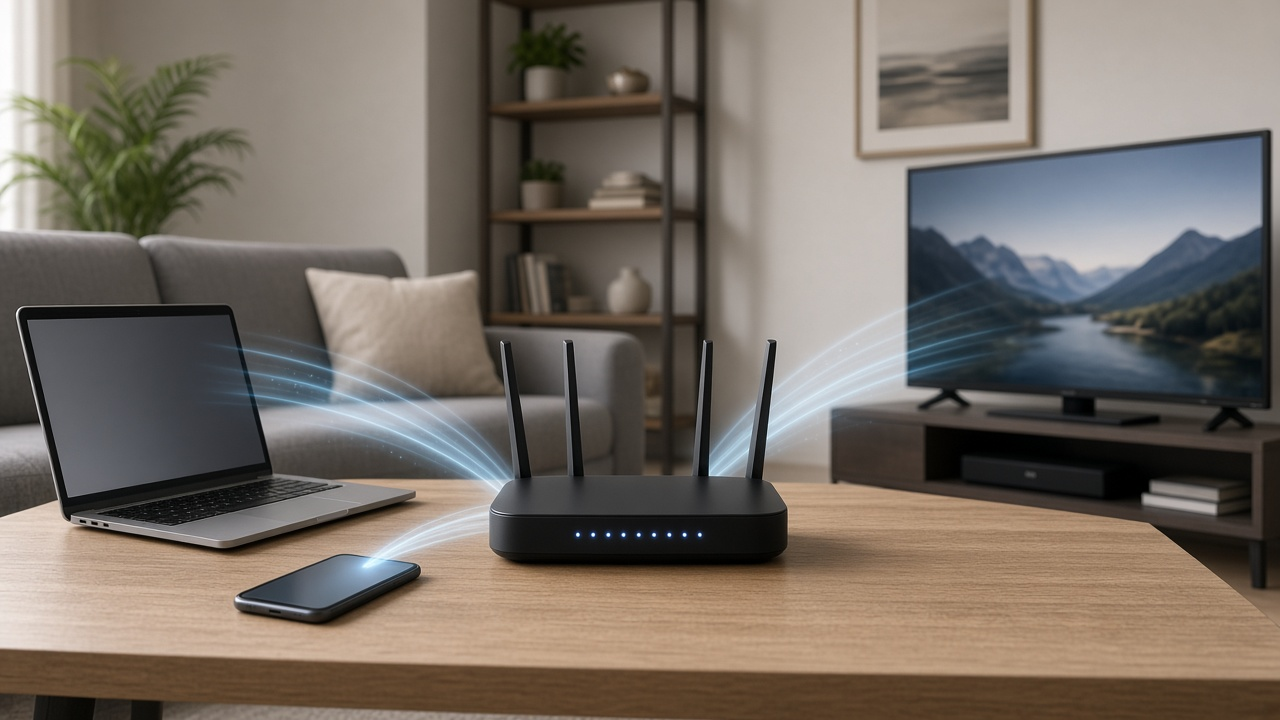
In today’s interconnected world, understanding the basics of home networking has become as fundamental as knowing how to navigate the web. The crux of any robust home network lies in its pivotal components, working harmoniously to ensure that all your devices sing in digital symphony. Chief amongst these components is the router—a device often shrouded in technical lingo, leaving many to wonder: What is a router? Here’s why you need it for the Internet. Join us as we demystify the cornerstone of home networking, illustrating how it functions not just as a conduit for Internet connectivity but as the maestro orchestrating the seamless connection of your computers, smartphones, smart home devices, and everything in between, to the vast world online.
Understanding Internet Fundamentals
The functionality of the internet hinges on a complex system of interconnected networks that communicate using standardized protocols. To truly grasp the necessity of a router, it is first essential to understand these basic principles of how the internet operates.
Defining the Internet and Its Components
The internet is a vast network of computers and other electronic devices capable of sending and receiving data across the globe. Its components include:
- Data packets: Information transmitted over the internet is broken down into small units called packets.
- TCP/IP: A set of communication protocols that enable devices to exchange packets.
- Servers and Clients: Servers are powerful computers that store and disseminate data, while clients are devices that access this information.
- ISP: Internet Service Providers (ISPs) give users access to the internet.
Role of Internet Providers in Connectivity
ISPs play a critical role in our ability to connect to the internet. By subscribing to their service, they provide us with an internet connection through a data transmission technology such as DSL, cable, or fiber optics.
The Relationship Between the Modem, Router, and Internet Connection
Connecting to the internet involves several key devices, notably the modem and router. The modem is responsible for converting the signal from your ISP into a digital format that can be understood by your devices, while the router directs data traffic, ensuring that information reaches the correct devices within your network.
- Modem: Connects to your ISP and translates internet signals.
- Router: Assigns local IP addresses and routes data to appropriate devices.
Unveiling the Mystery: What Is a Router?
At the heart of every robust home network lies a pivotal device: the router. This understated gadget is key not only to providing internet access but also to ensuring that data glides smoothly from the vast space of the internet to our own devices. So, what is a router and what functions does it serve?
Definitions and Core Functions of a Router
Essentially, a router is a networking device that forwards data packets between computer networks. It acts as the "brain" of a network, connecting to your modem and directing incoming and outgoing internet traffic to the correct devices in an efficient and orderly way. A router makes it possible for multiple computers, smartphones, and other devices to access the same internet connection at once and assists in directing information to the correct spot.
The Journey of Data Packets – From the Internet to Your Devices
When we speak of internet usage, what we are really referring to is the process of sending and receiving data packets. These packets travel vast distances in an instant, but without a router, they would find themselves without a clear destination upon reaching your home network. A router ensures that these packets are delivered to your device and not to a neighbor's.
Routers as Traffic Directors of the Network
Routers truly earn the title of traffic directors as they allocate where data should go within your network. They manage the flow of information, making sure that your streaming service doesn't slow down while someone else in the household is downloading a file. By assigning local IP addresses to each of your devices, routers keep tabs on data packets and their respective destinations, much like a postal service ensuring every letter reaches the right mailbox.
- Routers are essential for connecting multiple devices to the internet.
- They route data packets to the appropriate devices.
- Routers prevent potential data collisions and manage network traffic efficiently.
Understanding the fundamental role a router plays in home networking clarifies just how indispensable this device is in the age of digital connectivity. It is, unquestionably, the cornerstone of a seamless online experience.
How Routers Connect to the Internet
Understanding how routers connect to the Internet is essential for setting up and maintaining a reliable home network. The right interplay between your router and modem can make all the difference in the quality of your online experience.
The Interplay Between Router and Modem
Routers are the backbone of a home network, but they don't work in isolation. A modem is needed to facilitate the initial connection to your Internet Service Provider (ISP). Once the modem provides access to the global Internet, it is the router's job to distribute this connection to your various devices either through wired Ethernet cables or wirelessly.
Router's Role in Gaining Access to Internet Services
Without a router, you simply couldn't connect multiple devices to the internet simultaneously. The router acts as a dispatcher, managing the incoming and outgoing internet traffic to connected devices efficiently and securely.
DHCP and NAT: Router Functions for Internet Connectivity
Two critical functions performed by routers that are central to internet connectivity are Dynamic Host Configuration Protocol (DHCP) and Network Address Translation (NAT). DHCP allows the router to assign unique IP addresses to each device on your network. This automatic assigning is key to a smooth, effortless connection to the internet. On the other hand, NAT translates the public IP addresses to private ones and vice versa. This ensures secure and seamless communication between your devices and the wider internet while conserving the limited number of available public IP addresses.
The Role of Routers in Creating a Local Area Network (LAN)
Routers are pivotal in establishing a Local Area Network, commonly known as a LAN, within your home or office. Let's delve into how routers facilitate this process and why creating a LAN is beneficial for your home networking needs.
Creating a LAN with a Router
A router acts as the central hub for your local network. When setting up a LAN, the router assigns local IP addresses to each device connected to it. This network arrangement enables devices to communicate with each other efficiently, share resources, and access the internet simultaneously. By connecting a router to your modem, you transform a simple internet connection into a robust, versatile network infrastructure within your own space.
Connecting Multiple Devices through a Router
With a router in place, you can connect a multitude of devices, including computers, smartphones, smart TVs, and IoT devices, all to the same network. This interconnectivity allows for seamless data sharing and communication among devices and facilitates a symbiotic tech ecosystem in your home or workplace.
Benefits of LANs in Home Networking
The advantages of setting up a LAN at home are manifold:
- Resource sharing: Devices on the LAN can share peripherals such as printers and scanners, reducing costs and space requirements.
- File sharing: Sharing files between devices is quicker and more secure within a LAN, as data doesn't travel over the public internet.
- Network gaming: Gamers can play multiplayer games with others on the same LAN without the latency that comes with online gaming.
- Backup solutions: A LAN allows for centralized backup solutions, simplifying the process of safeguarding critical data.
Integrating routers in home networking is not just about internet access—it's about creating an interconnected, streamlined, and efficient home technology system. The router's role in enabling a LAN is fundamental to modern computing and home networking. Stay connected, share effortlessly, and enjoy the myriad benefits of a LAN by leveraging the capabilities of your router.
Wired vs. Wireless Routers: Choosing the Right One for Your Internet Needs
When setting up a home network, one critical decision you'll face is whether to use a wired or wireless router. Both have their advantages and disadvantages, impacting your internet experience.
Pros and Cons of Wired and Wireless Connections
Understanding the benefits and limitations of both wired and wireless connections is essential for making an informed choice that aligns with your internet requirements.
- Wired Pros: Offers faster speeds, more stability, and better security.
- Wired Cons: Limits mobility and requires physical cabling, which can be inconvenient and unsightly.
- Wireless Pros: Provides mobility and easy access for multiple devices without the need for cables.
- Wireless Cons: May suffer from signal interference, generally slower speeds, and potential security vulnerabilities.
Ethernet Cable: The Wired Approach
An Ethernet cable is the backbone of any wired network connection, directly linking your devices to the router. This ensures maximum speed and reliability, making it ideal for bandwidth-intensive tasks such as streaming high-definition video or online gaming.
Wi-Fi Router Specifics for Wireless Networking
Wireless routers, on the other hand, use radio waves to communicate with devices. This grants users the freedom to roam wirelessly but also means that factors such as distance from the router, physical obstructions, and other wireless networks can impact the network's performance. Proper placement and setting adjustments can help optimize your wireless signal.
Router Security and Firewall Features
Router security is a critical consideration for safeguarding your personal information and protecting your network from unauthorized access. In today's connected world, a router is not only a gateway for internet connectivity but also a shield against potential cyber threats. Security features are therefore an indispensable part of a robust home networking system.
The Significance of Router Security Measures
Implementing security measures on your router is essential to prevent malicious attacks that can compromise your sensitive data. A secure router ensures that all data transmitted across your network is shielded from hackers and eavesdroppers. This protects everything from financial information to personal communication from being intercepted or tampered with.
How Firewalls Protect Your Network
Many routers come with built-in firewalls that serve as a barrier between your network and the internet. A firewall scrutinizes incoming and outgoing traffic based on a set of security rules and filters out any suspicious activity. This acts as the first line of defense against cyber attacks such as viruses, worms, and other types of malware that can infect your network.
Implementing Encryption and Passwords for Safety
For an additional layer of security, modern routers employ various encryption methods to encode your data, making it unreadable to outsiders. The most common encryption standards are WPA, WPA2, and WPA3, with WPA3 being the latest and most secure. Strong, unique passwords are also crucial for securing your Wi-Fi network. A robust password prevents unauthorized users from accessing your network and using your internet connection or accessing your devices.
- Utilize WPA3 encryption if available for robust security.
- Create strong, unique passwords for your Wi-Fi network and router admin panel.
- Regularly update your router's firmware to ensure the latest security patches are applied.
By understanding the importance of router security and actively implementing firewall and encryption features, you create a safer digital environment for all your internet-connected devices.
Importance of Router for Wi-Fi Connectivity
The advent of Wi-Fi has transformed the way we access the internet, making it possible to surf the web from the comfort of any location within our homes. Routers play a crucial role in providing this wireless convenience, serving as a hub for all of our internet needs. Let's delve into the significance of routers in ensuring seamless Wi-Fi connectivity.
Advantages of Wi-Fi Routers in Modern Homes
Wi-Fi routers are essential for modern homes, offering several advantages:
- Streamlined Connectivity: A single Wi-Fi router enables multiple devices to connect to the internet without the need for cables, reducing clutter and increasing aesthetic appeal.
- Easy Device Interconnectivity: Wi-Fi allows for the interconnection of smart devices, facilitating a cohesive smart home ecosystem. From smart TVs to thermostats, everything is interconnected.
- Guest Access: Wi-Fi routers provide the ability to offer guests their own network access, keeping your primary network secure.
Connecting Wireless Devices Seamlessly
One of the core functionalities of a Wi-Fi router is to connect wireless devices to the internet without hassle. Whether it's smartphones, tablets, laptops, or IoT devices, routers enable all devices to communicate with each other and the internet reliably and without physical constraints.
Mobility and Convenience with Wi-Fi
With Wi-Fi connectivity, users are no longer tethered to a desk or a particular room. You have the freedom to move around while staying connected, enhancing both productivity and leisure experiences. A robust Wi-Fi signal enabled by a high-quality router ensures that no corners of your home are left disconnected.
Router Speeds and Internet Performance
Your router is the gatekeeper of your home's internet, and its speed capabilities can significantly impact how you enjoy your connected life. Understanding router speeds and their correlation with internet performance is crucial for a seamless online experience. Below, we delve into how router speeds affect internet usage, the importance of matching router specs with your internet service, and troubleshooting network issues for optimum performance.
How Router Speeds Affect Internet Usage
The speed of your router determines how quickly data can be transferred between your internet-connected devices and the World Wide Web. A slow router can result in buffering videos, sluggish downloads, and frustratingly slow web browsing. In contrast, a router with higher speed capabilities can handle more devices and data-intensive tasks, like streaming 4K content or participating in online gaming, without a hitch.
Matching Router Capabilities with Internet Service Speeds
Ensuring your router's capabilities align with the speed of your internet service is essential. There's no benefit to paying for a gigabit internet service if your router can only support speeds up to 100 Mbps. Conversely, if your internet package offers moderate speeds, investing in a state-of-the-art router will not magically boost your internet speed beyond what your service provider offers.
- Review your internet service package to determine the maximum speeds provided.
- Choose a router that can handle at least the maximum speeds of your internet plan to ensure no bottleneck.
Addressing Potential Network Issues for Optimal Performance
Even with a high-speed router, you may encounter network issues that can degrade performance. Such problems can stem from outdated firmware, signal interference, or simply having too many devices connected at once. Regularly update your router's firmware, use apps or built-in router features to analyze network traffic, and position your router to minimize interference for the best internet experience.
- Update your router's firmware to ensure stability and security.
- Position the router centrally and away from large metal objects and electronic devices that could cause interference.
- Consider a network extender or mesh system if your home has dead zones.
By addressing these key factors, you can make the most of your home's internet service and enjoy a smoother, more reliable online experience.
Understanding Router Configurations and Settings
While routers play an essential role in providing internet access to your devices, the real power lies in their configurations and settings. Understanding these settings can significantly enhance your network's efficiency and security. Below, we'll look at some basic and advanced configurations that are crucial for any home user.
Basic Router Settings for Home Users
Every router comes with a variety of settings that can be customized even without advanced networking knowledge. Here are some fundamental configurations you should know:
- Network Name (SSID): This is your Wi-Fi network's name that appears when devices search for networks to connect to.
- Password: You must set a strong password to prevent unauthorized access to your Wi-Fi network.
- Network Encryption: It is vital to select a robust encryption method like WPA2 to ensure data sent over your network is secure.
- Parental Controls/Access Restrictions: These settings allow you to restrict access to the internet during certain hours or block specific types of content.
Advanced Configurations for Customized Networking
More experienced users may delve into advanced settings for further optimization:
- Quality of Service (QoS): Prioritizes bandwidth for critical devices or applications, ensuring smoother performance where needed.
- Static IP Addresses: Assigning static IP addresses to devices ensures they receive the same IP address each time they connect to the network.
- Guest Networks: Creating a separate network for guests can protect the main network's security and restrict access to internal resources.
- Firewall Settings: Customize your network's firewall to manage and monitor incoming and outgoing traffic.
Troubleshooting Common Router Settings Issues
Encountering issues with your router settings is common, but many of these can be fixed with some basic troubleshooting steps:
- Connectivity Problems: Check your cables and reboot your router. If issues persist, verify your settings and consult your ISP.
- Slow Internet Speeds: Ensure your router firmware is up to date and that QoS settings are correctly optimized for your usage.
- Device Connectivity Issues: If certain devices can't connect, make sure they are compatible with your network's encryption settings.
- Forgotten Passwords: In case you forget your router's admin or Wi-Fi password, a factory reset will restore default settings, allowing you to set a new password.
Router configurations and settings may seem daunting at first, but with a bit of practice, you can master the essentials. Doing so will dramatically improve your home network's performance and security, ensuring a seamless internet experience for all your connected devices.
Routers vs. Modems: Understanding the Difference
When setting up a home network, it's essential to understand the distinct roles played by two critical devices: routers and modems. While they may seem similar at a glance, each serves a unique purpose in accessing and distributing your internet connection.
Distinctions between Routers and Modems
Routers are devices that connect multiple networks and direct network traffic. Their primary function in a home setting is to distribute the internet signal to various devices within the network. They can connect to devices wirelessly or via Ethernet cables, and they allow these devices to communicate with one another, creating a Local Area Network (LAN).
Modems, on the other hand, are the gatekeepers between your home network and the wider internet. The term modem is short for modulator-demodulator. A modem's job is to convert the analog signal from your internet service provider (ISP) into digital data that can be used by your router and other devices.
How Routers and Modems Work Together for Internet Access
For a seamless online experience, both a router and a modem are required. The modem connects to the cable or DSL line from your service provider and transmits the digital signal to the router. The router then takes this signal and distributes it wirelessly or through wired connections to various devices within your home.
The Necessity for Both Devices in Most Home Networks
Most ISPs provide a device that combines both modem and router capabilities; however, having separate devices for each function can offer enhanced performance and better control over your home network. Separate devices allow for upgrading one without needing to replace the other, which is particularly useful as technology evolves.
- A standalone modem is ideal for a direct, single-device connection or for those who prefer to use a separate router with advanced features.
- Standalone routers provide more options for network management, such as parental controls, network prioritization, and advanced security settings that may not be available on combined devices.
In summary, while modems bring the internet into your home, routers take that signal and make it accessible to your devices, securing and managing your home network in the process. Understanding these differences ensures that you can make informed decisions about your home networking equipment.
Setting Up Your Home Router: A Step-by-Step Guide
Ensuring a strong and secure home network starts with the proper setup of your home router. Whether you're a tech novice or an experienced user, following these detailed instructions will help you get your internet up and running smoothly.
Step-by-Step Guide to Installing a Router
To begin setting up your home router, unpack the router and place it in a central location. Ensure that it’s close to your internet connection point and within reach of an electrical outlet. Follow these steps:
- Connect the router's WAN or Internet port to your modem using an Ethernet cable.
- Plug in the router's power adapter and switch it on.
- Wait for the indicator lights to stabilize, signifying a successful initial boot.
- Use your computer or mobile device to connect to the router's default Wi-Fi network.
- Open a web browser and enter the router’s IP address to access the configuration page.
- Log in using the default username and password provided by the manufacturer.
Configuring for Maximum Performance and Security
Once you've accessed the router's configuration settings, it's time to enhance your network’s performance and security:
- Change the default login credentials to a strong, unique username and password.
- Update the router's firmware to the latest version to ensure up-to-date security and features.
- Configure the wireless settings, selecting a robust encryption method like WPA3 for securing your Wi-Fi network.
- Set up a network name (SSID) that doesn't disclose personal information but is recognizable for your devices.
- Choose the appropriate channel and frequency band (2.4 GHz or 5 GHz) for your needs and to reduce interference.
- Enable the router’s built-in firewall to provide an additional layer of defense against external threats.
Connecting Various Devices to the Router
With the basic router setup complete, you can start connecting devices:
- Locate the Wi-Fi settings on your device and select your new network name (SSID) from the list of available networks.
- Enter the password you created during the router configuration.
- Repeat these steps for all devices that you want to connect to your home network, such as laptops, smartphones, tablets, smart TVs, and IoT devices.
- Note: For devices that require a wired connection, use Ethernet cables to connect them directly to the router's LAN ports.
After completing these steps, your home network should be fully operational. Remember to regularly check your router settings and perform updates to maintain optimal performance and security.
Router Brands and Models: Your Guide to Making the Right Choice
Choosing the right router is crucial for a reliable and fast internet connection. With numerous options available in the market, it's essential to have a clear understanding of the popular brands and models, as well as the features that best suit your needs.
Top Router Brands to Consider
- Netgear: Known for their wide range of options catering to different needs—from basic home use to advanced gaming and streaming experiences.
- ASUS: Offers a variety of routers with robust performance and enhanced security features, including models with built-in antivirus software.
- TP-Link: Provides cost-effective solutions with a solid performance, and their routers often come with intuitive management apps.
- Linksys: Boasts user-friendly routers with strong parental controls, making them ideal for family-oriented households.
- Google: Focuses on mesh network systems that provide extended coverage and seamless wireless connectivity throughout your home.
Key Features to Look for When Choosing a Router
When selecting a router, consider the following essential features to ensure you get the best performance and value:
- Dual-Band or Tri-Band Capabilities: These routers can emit signals at multiple frequencies, reducing interference and congestion.
- Quality of Service (QoS) Settings: This feature allows you to prioritize bandwidth for specific tasks or devices, enhancing the overall network performance.
- Security Protocols: Look for routers with WPA3 encryption for the highest level of security and routers that offer automatic firmware updates.
- Number of Ports: Ensure there are enough Ethernet ports for your wired devices, and consider USB ports for sharing printers or storage over the network.
- Parental Controls: For households with children, routers with strong parental control options allow you to manage internet access effectively.
Balancing Budget and Performance Needs
In choosing the right router, balance is key. While high-performance routers offer a plethora of features, they come at a premium. On the other hand, budget-friendly models may meet basic requirements but lack advanced functionalities. Consider your internet usage patterns, the size of your area to cover, and the number of devices connecting to your network when making a decision. Investing in a slightly higher-priced router may provide a seamless experience that aligns with your performance needs and future-proofs your home network.
Upgrading Your Home Network with a New Router
As technology progresses and our home Internet needs become more demanding, the question often arises: when is the right time to upgrade our home network with a new router? Making the switch can dramatically improve your network’s performance, provide enhanced security features, and support the latest in Wi-Fi standards. In this section, we'll discuss the clear indicators that it's time for a router upgrade, how to go about replacing your old router, and how to set up your new device with minimal disruption to your connected life.
Indications It's Time for a Router Upgrade
If you're experiencing slow Internet speeds, frequent disconnections, or your current router is several years old, it may be time to consider an upgrade. Here are a few telltale signs:
- Slow internet speeds despite having a high-speed internet plan
- Your router does not support the latest wireless standards, such as Wi-Fi 6
- Increased connectivity demands with multiple devices that your current router cannot handle efficiently
- Weak security protocols that leave your network vulnerable to threats
- Poor coverage with Wi-Fi 'dead zones' around your home
The Process of Replacing Your Old Router
Upgrading to a new router may seem daunting, but the process is relatively straightforward. First, you’ll need to choose a model that suits your needs regarding range, speed, and capacity. Once you’ve selected your new router, the replacement involves:
- Unplugging and disconnecting your old router
- Firmly connecting your new router to your modem or gateway
- Powering on your new router and checking for a stable connection indicator
- Configuring your new router through a connected computer or mobile app
Setting Up the New Router with Minimal Disruption
To ensure a smooth transition, consider these steps:
- Plan the upgrade: Select a time when your network usage is low to minimize disruption.
- Backup settings: Save your current router's settings if you’ve made specific configurations you wish to maintain.
- Update immediately: After installation, update your new router's firmware to the latest version to ensure optimal performance and security.
- Reconnect devices: Reconnect your devices to the new network, taking the opportunity to change passwords and network names if needed.
Remember that modern routers often come with simplified setup processes, minimizing the technical hurdles associated with network upgrades. By following these steps and understanding when and how to upgrade, you ensure that your home network remains robust, secure, and ready to meet the increasing demands of your digital lifestyle.
Tips for Optimizing Router Performance
To ensure you get the most out of your router and maintain a strong, stable Internet connection, it is essential to optimize your router performance. Here are some tips that can help:
Positioning Your Router for Best Signal Strength
Place your router in a central location away from walls and obstructions. Ensure it's elevated on a shelf or mounted to avoid signal interference from furniture and other household items. Avoid placing the router near metal objects and appliances that emit electromagnetic waves.
Managing Bandwidth for Different Devices
Some devices in your home may use more bandwidth than others. You can manage your network's bandwidth through your router's Quality of Service (QoS) settings to prioritize devices that require more stable connections for activities like streaming or gaming.
Regular Firmware Updates to Improve Functionality
Keeping your router's firmware up to date is crucial for security and performance improvements. Manufacturers often release firmware updates to enhance features, fix bugs, and close security vulnerabilities. Check the manufacturer's website regularly for updates or enable automatic updates if your router supports it.
- Check the router's position and make necessary adjustments for optimal signal distribution.
- Allocate bandwidth smartly to ensure all devices receive adequate Internet speed for their tasks.
- Stay on top of firmware updates for a secure and high-performing network.
The Future of Routers: Developments and Innovations
As we continue to advance technologically, the humble home router is undergoing an exciting transformation that promises to redefine our internet experience. The next generation of routing technology is poised to offer enhanced connectivity, increased security, and a host of new features to accommodate our ever-growing network demands.
Emerging Router Technologies
In the forefront of router innovation are developments that aim to not just improve speed and performance, but also to introduce smarter and more efficient ways to manage home networks. From mesh networking systems that provide seamless Wi-Fi coverage across larger spaces to routers equipped with advanced AI capabilities for network optimization and maintenance, we are stepping into an era where routers are becoming more than just mere gateways to the internet.
Predictions for Future Home Networking
Industry experts predict a future where routers will play a central role in the internet of things (IoT). They will not only manage traditional devices like computers and smartphones but also an array of smart home devices such as light bulbs, thermostats, and home security systems. With the integration of high-speed technologies like Wi-Fi 6 and eventually Wi-Fi 7, routers will handle larger volumes of data with lower latency, making them the cornerstone of a hyper-connected home experience.
How to Stay Updated with Router Developments
To ensure you are taking full advantage of these advancements, it's essential to stay informed about the latest router technologies. Regularly visiting tech news websites, following reputable tech influencers on social media, and subscribing to industry newsletters are excellent ways to keep abreast of the latest trends and innovations in router technology. Moreover, manufacturers often release firmware updates that can enhance your router's capabilities, so keeping your device's software up-to-date is a practical step towards future-proofing your home network.
Embrace the future of home networking by keeping an eye on these exciting router developments and prepare to transform your internet experience into something even more powerful and connected.
Why a Router is Essential for Your Internet Ecosystem
As we've explored throughout this article, routers serve as the critical hub of our home networking systems. These devices are indispensable in providing the bridge between our private local area networks (LANs) and the vast, boundless realm of the internet. By intelligently directing data traffic, routers enable our devices to communicate with one another and with the outside world, supporting everything from simple web browsing to complex online gaming and streaming high-definition content.
Final Thoughts on the Centrality of Routers
Routers have evolved from basic network gateways to sophisticated devices that manage security, performance, and connectivity. Their role in connecting multiple devices while keeping our data secure through firewalls and encryption has become more vital than ever. With technological progression, the importance of owning a high-performance router keeps escalating, ensuring that we can keep up with increasing demands for speed and connectivity in the modern, hyper-connected world.
Invest in a Router for a Seamless Internet Experience
Given the router's pivotal position in your home network, it's clear that investing in a good quality router is a decision that will pay dividends in terms of improved internet performance and enhanced security. A robust, reliable router can transform your online experience, minimizing disruptions and maximizing speed and coverage across your devices.